


PREQUEL AI Filter Photo Editor
4.56.65K Reviews
App Specs
- Version
- 2.3.0
- Updated On
- License
- Free
- Downloads
- 50,000,000+
- Developer
- Prequel Inc.
- Categories
- Photography
- Platform
- Android, iOS
Screenshots
 Analysis by AppCompare
I like PREQUEL AI Filter Photo Editor most when I treat it as a fast way to give a photo or clip a distinct mood, rather than as a replacement for every editing tool on my phone. Its creative effects are the main attraction: they make it easy to move from a familiar snapshot to something with a retro, polished, or deliberately surreal feel. That makes the app fun to explore, though it also means restraint matters. A strong look can add personality; stacking effects without checking the result can make an image feel overworked.
A creative editor, not an all-purpose camera workflow
PREQUEL is a free photography app from Prequel Inc., and its focus is clear: visual treatments for pictures and videos. It has a 4.6 average from around 363,000 ratings and more than 50 million installs, so it is a well-established choice for people who enjoy expressive edits. The content rating is Everyone. I would recommend it first to someone who wants a quick stylistic finish for social posts, personal photos, or short clips—not to someone looking for a meticulous, technical photo-development workflow.
The practical distinction is important. A conventional editor is often strongest when you need to correct exposure, crop precisely, or make a series of careful adjustments. PREQUEL’s appeal is the personality it can add. I would use it after choosing a good original image, not as a way to rescue a badly lit or out-of-focus shot. Effects can change the atmosphere, but they cannot replace a sharp subject or thoughtful framing.
Unleashing Creativity with Filters and Effects
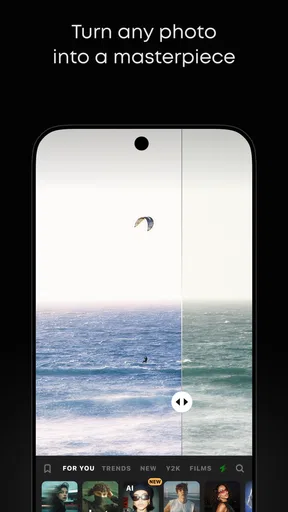
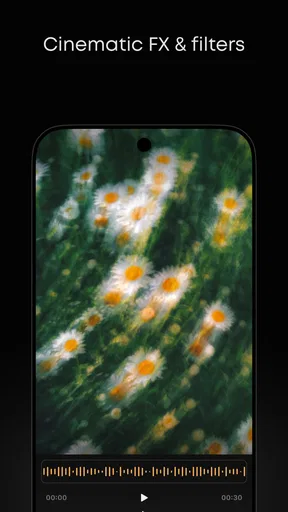
First things first, the sheer variety of filters and effects available in PREQUEL AI Filter Photo Editor is nothing short of impressive. Whether you’re going for a vintage vibe, a touch of glamour, or something straight out of a sci-fi movie, this app has got you covered. I mean, who doesn’t love a good retro filter or a dreamy glow effect?
With just a few taps, you can completely change the mood of your photos. I spent hours experimenting with different combinations, and let me tell you, it’s addicting. The AI-powered filters are particularly noteworthy because they adapt to each photo's unique characteristics, making every edit feel custom-made.
Picking a look without losing the original moment
That range is most useful when I begin with a purpose instead of scrolling through effects at random. For a warm café portrait, I might compare a soft, nostalgic treatment with a cleaner edit and keep the one that still looks like the actual place. For a travel photo, I would check whether a vintage effect makes the scene feel more memorable or simply muddies its colors. The same preset can land differently on a bright outdoor shot and a dim indoor one, so previewing it on the image I actually plan to share is more reliable than choosing by its thumbnail alone.
A helpful habit is to make one change at a time and pause before adding another. If a filter already supplies color and texture, an extra overlay may be unnecessary. I also look closely at skin, bright signs, and other areas with strong color; those are often where a dramatic treatment becomes distracting first. This small check keeps a playful edit from taking attention away from the person or moment in the picture.
Worth Reading Before You Choose

EA SPORTS FC Mobile 26 Is a Bigger Football Game, but It Takes Time

Flipboard Shows What News Apps Must Do Beyond the Feed

Switching to Android Auto Means Rethinking Your Driving Routine

Google Calendar Makes a Crowded Week Easier to Manage

Ludo King Makes the Most of the Minutes Between Plans

Baby Panda World Brings Quick Play to Modern Phones, but Its Game Library Feels Busy
With just a few taps, you can completely change the mood of your photos. I spent hours experimenting with different combinations, and let me tell you, it’s addicting. The AI-powered filters are particularly noteworthy because they adapt to each photo's unique characteristics, making every edit feel custom-made.
Ease of Use
One of the things that really stood out to me is how user-friendly the app is. I’m not the most tech-savvy person out there, but the intuitive interface made it super easy to navigate. Everything is laid out in a clean, organized manner, which means more time editing and less time fumbling around.
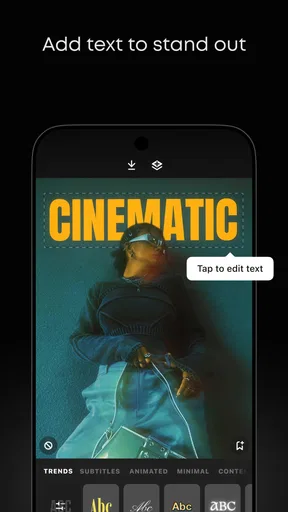
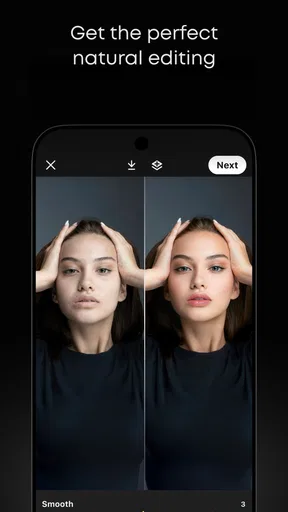
The app offers a straightforward editing process. You can easily adjust brightness, contrast, and saturation, and even add some cool overlays like dust particles or light leaks to give your photos an artistic touch.
A practical phone-first routine
For a realistic everyday use, imagine taking a quick portrait on the way out with friends and later wanting a version that suits a shared album or a social post. I would pick the clearest frame first, try a restrained look, then compare it with the unedited image before deciding whether the effect helps. If the edit is meant for a group chat, I might favor natural color; if it is a personal post, a more stylized treatment could fit. Keeping both versions gives me room to change my mind without turning every ordinary photo into a permanent experiment.
That comparison also answers a common question: should I edit every photo with the same look? I would only do that when consistency is part of the goal, such as a small set of images from one outing. For unrelated pictures, forcing one preset across them can flatten differences in lighting and color. A recognizable aesthetic is useful, but it should not make a sunny street, a candlelit dinner, and a close-up portrait all look oddly identical.
Going Beyond Photos
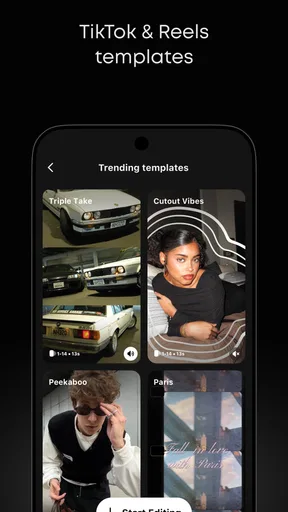
What’s really cool about PREQUEL is that it’s not just for photos. The app also lets you edit videos, which is a game-changer for content creators. Imagine adding those retro filters or dreamy effects to your videos—it’s like having a mini production studio right in your pocket. I played around with some short clips, and the results were stunning.
Plus, the app supports high-quality exports, so you won’t lose any of that crisp detail when you share your creations on social media. That’s a big win in my book.
When video effects help—and when they get in the way
Video editing is a useful extra if you want stills and short clips to share a similar visual mood. A simple workflow is to choose the clip for its content first, apply an effect, and watch the whole result rather than judging a single frame. A treatment that looks attractive on a still can feel too intense as it moves, especially when the scene contains shifting light or several colors. I would keep the effect subtle for a clip meant to document an event, and reserve more obvious styling for a playful post where the look is part of the point.
For anyone wondering whether this is a substitute for a dedicated video editor, my answer is no—not for every job. PREQUEL makes sense when the goal is a quick visual treatment, while a more timeline-focused tool is a better fit for arranging multiple shots, shaping a longer edit, or controlling a detailed sequence. The convenience is real, but the creative shortcut is also the boundary: it is strongest when the edit itself does not need to become a complicated project.
Customization Galore
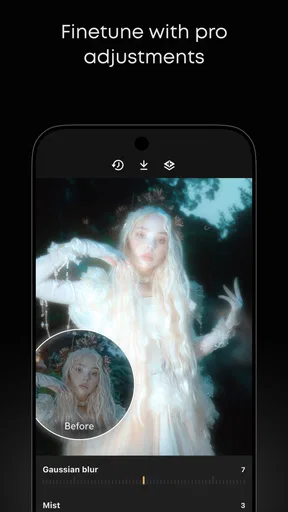
If you love getting into the nitty-gritty of editing, you’ll appreciate the level of customization this app offers. You can tweak and fine-tune every aspect of the filters and effects, allowing you to create something truly unique. It’s like having a digital darkroom at your fingertips.
The ability to save your favorite presets is also a fantastic feature. Once you’ve created a look you love, you can easily apply it to future edits with just a tap. This makes maintaining a consistent aesthetic across your social media platforms a breeze.
Making a repeatable look work
Saved presets are most valuable when I use them as a starting point, not as a rule. A look that suits one portrait may need a lighter touch on another, and a preset that works for an outdoor clip may not translate neatly to an indoor scene. I would save a version that captures the overall direction I like, then make small adjustments for each image. That gives a group of posts some continuity without sacrificing the details that make each photo feel specific.
There is also a trade-off between speed and control. Reusing a favorite treatment saves time, but it can make editing feel automatic. Before exporting, I check the image at a larger view and ask whether the effect is helping the subject. This is especially useful with overlays: texture can make a clean background more interesting, but it can also compete with fine details such as hair, lettering, or patterned clothing.
Where it sits among photo-editing alternatives
Compared with the usual photo-editing options, PREQUEL leans more toward ready-made visual character than neutral correction. A built-in phone editor is often the quickest choice for a crop, a modest brightness adjustment, or a simple cleanup. A manual editor is a better match when I want deliberate control over a natural-looking image. PREQUEL earns its place when I want an effect-led result without building that look from scratch.
That does not make one approach universally better. If I am preparing a straightforward family picture, I may prefer a light touch in a basic editor. If I am making a themed post or a short clip with a specific mood, PREQUEL is more appealing. For work that depends on consistent, precise color across many images, I would choose a tool built around detailed corrections rather than rely on a stylized preset. The best choice depends on whether the priority is speed, control, or a noticeable creative finish.
Who should try it—and who may want another tool
I think PREQUEL suits casual photographers, social media users, and anyone who likes testing visual styles without needing a complex editing routine. It is also a reasonable option for someone who wants to give a short video and a photo a related look. The fact that it is free to download makes it easy to explore, although the app includes in-app purchases ranging from $0.49 to $39.99 per item. I would check what is included in the option I want before committing to a purchase, rather than assuming every effect or workflow is part of the free experience.
I would steer away from it if your main need is exact retouching, careful color matching, or a highly controlled video edit. It is also not the right choice if you dislike visibly stylized images; the effects are the reason to open it, and they can feel excessive when you only want a faithful record of a moment. The current version is 1.98.0, and the app runs on operating systems starting with version 10, which is worth checking before downloading.
Final Thoughts
All in all, PREQUEL AI Filter Photo Editor is a powerful tool for anyone looking to enhance their photos and videos. Its extensive collection of filters and effects, combined with its ease of use and customization options, make it a standout app in the crowded field of photo editors.
Whether you're a professional photographer or just someone who loves taking pictures, PREQUEL has something to offer. So go ahead, give it a try, and unleash your creativity. You might just find yourself spending more time editing than you ever imagined—and loving every minute of it.
A measured recommendation
My recommendation is strongest for people who enjoy experimenting and want a quick route to a distinctive finish. Start with one photo you already like, compare a couple of treatments, and keep the edit that adds atmosphere without obscuring the subject. Then try the same general look on a short clip or a small group of related pictures; that is a useful way to learn where the style holds together and where it needs adjusting.
PREQUEL is less compelling as an all-purpose editing home, and that is a fair limitation rather than a deal-breaker. Its best quality is the immediacy of its visual ideas, not the promise that every image needs an effect. If you enjoy that creative balance, it is worth trying. If you mainly want precise corrections and a natural finish, a more conventional editor will likely suit you better.
Pros
- Variety of unique filters and effects.
- User-friendly interface for easy editing.
- Regular updates with new features.
- High-quality export options available.
- Supports both photo and video editing.
Cons
- Some features require in-app purchases.
- Occasional crashes on older devices.
- Limited free filter options.
- Requires internet for full functionality.
- Ads can be intrusive at times.
FAQs for PREQUEL AI Filter Photo Editor
What features does PREQUEL AI Filter Photo Editor offer?
PREQUEL AI Filter Photo Editor offers a variety of features including AI-driven filters, effects, and editing tools that transform photos with a creative touch. Users can access a wide range of aesthetic filters, adjust image parameters, and apply unique effects such as retro, VHS, and chromatic. These tools offer both beginners and professionals the ability to create stunning visuals with ease.
Is PREQUEL AI Filter Photo Editor free to use?
PREQUEL AI Filter Photo Editor is available as a free download, but it also offers in-app purchases and subscription options. While the free version provides access to many features, a subscription unlocks premium filters, effects, and tools for a more extensive editing experience. It's ideal for those who want to explore the full potential of the app.
Can PREQUEL AI Filter Photo Editor be used offline?
To access the full range of features in PREQUEL AI Filter Photo Editor, an internet connection is required. While some basic editing features may be available offline, filters and effects often rely on cloud processing to ensure high-quality results. Therefore, for the best experience, it's recommended to use the app with an active internet connection.
Is PREQUEL AI Filter Photo Editor user-friendly for beginners?
Yes, PREQUEL AI Filter Photo Editor is designed with a user-friendly interface that caters to both beginners and experienced editors. It features intuitive navigation and easy-to-use tools, making it simple for users to apply filters and effects to their photos. The app also provides tutorials and guides to help new users maximize its potential.
What devices are compatible with PREQUEL AI Filter Photo Editor?
PREQUEL AI Filter Photo Editor is compatible with both Android and iOS devices. It requires a relatively recent version of the operating system to function properly, so users should ensure their device is updated. The app is optimized for various screen sizes, providing a seamless editing experience across smartphones and tablets.


